
Ask an AI about this page
 ChatGPT
 Claude
 Perplexity
 Google AI Mode
 Microsoft Copilot
 Grok
 Mistral Le Chat
Copy a list
Copy a list when you want a new list with the same settings, list fields and templates as a list that you have. For example, you want a list for the webinar next year that is the same as the list for the webinar this year.
Copy a list
Section titled “Copy a list”Do these steps in the Mail Niaga console:
-
Click Audience → Lists.
-
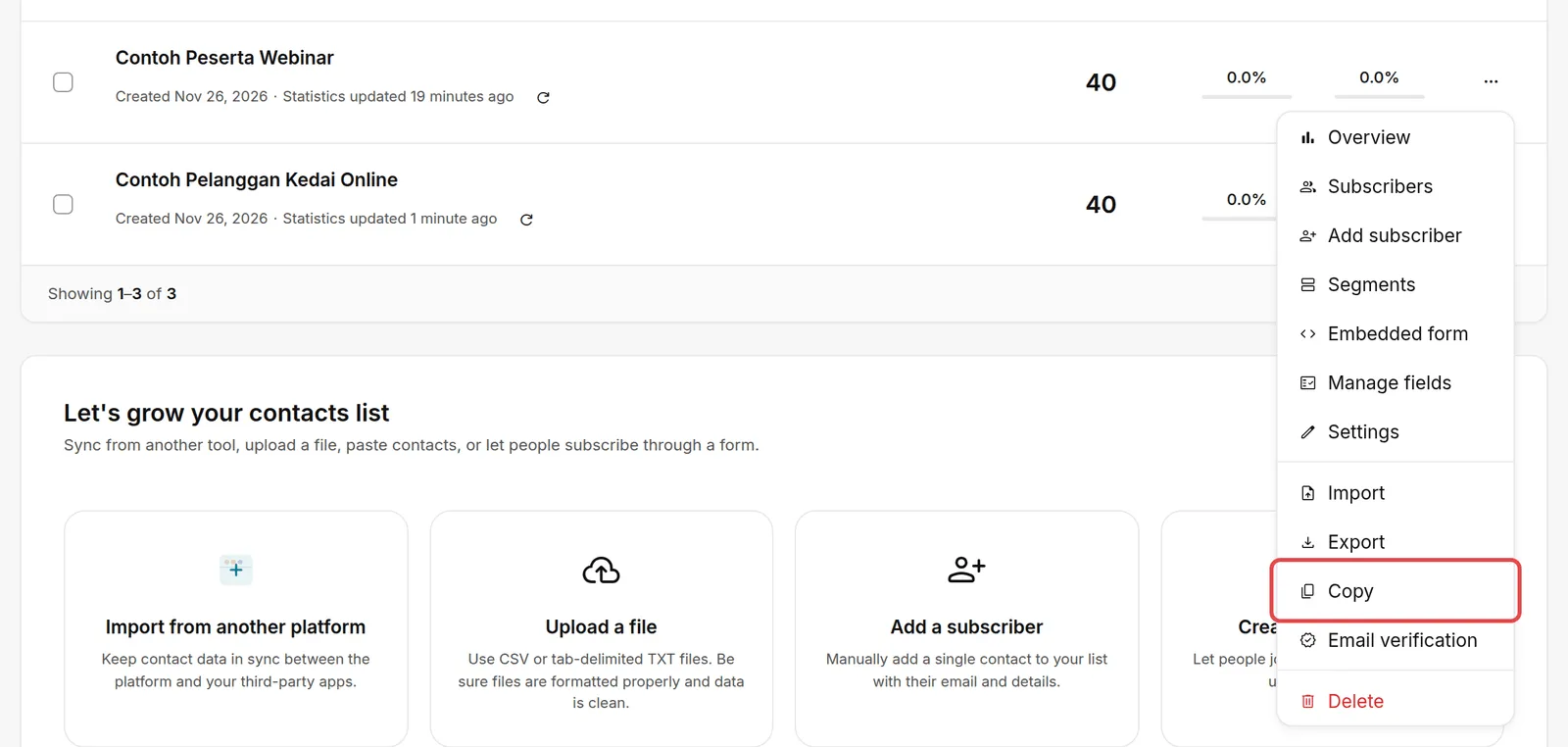
Click the … button on the row of the list that you want to copy.
-
Click Copy.
-
In the Copy list popup, fill in New list name. The default name is “Copy of” and then the name of the original list.
-
In the Templates to copy area, turn off the templates that you do not want to copy (see below).
-
Click Copy list.
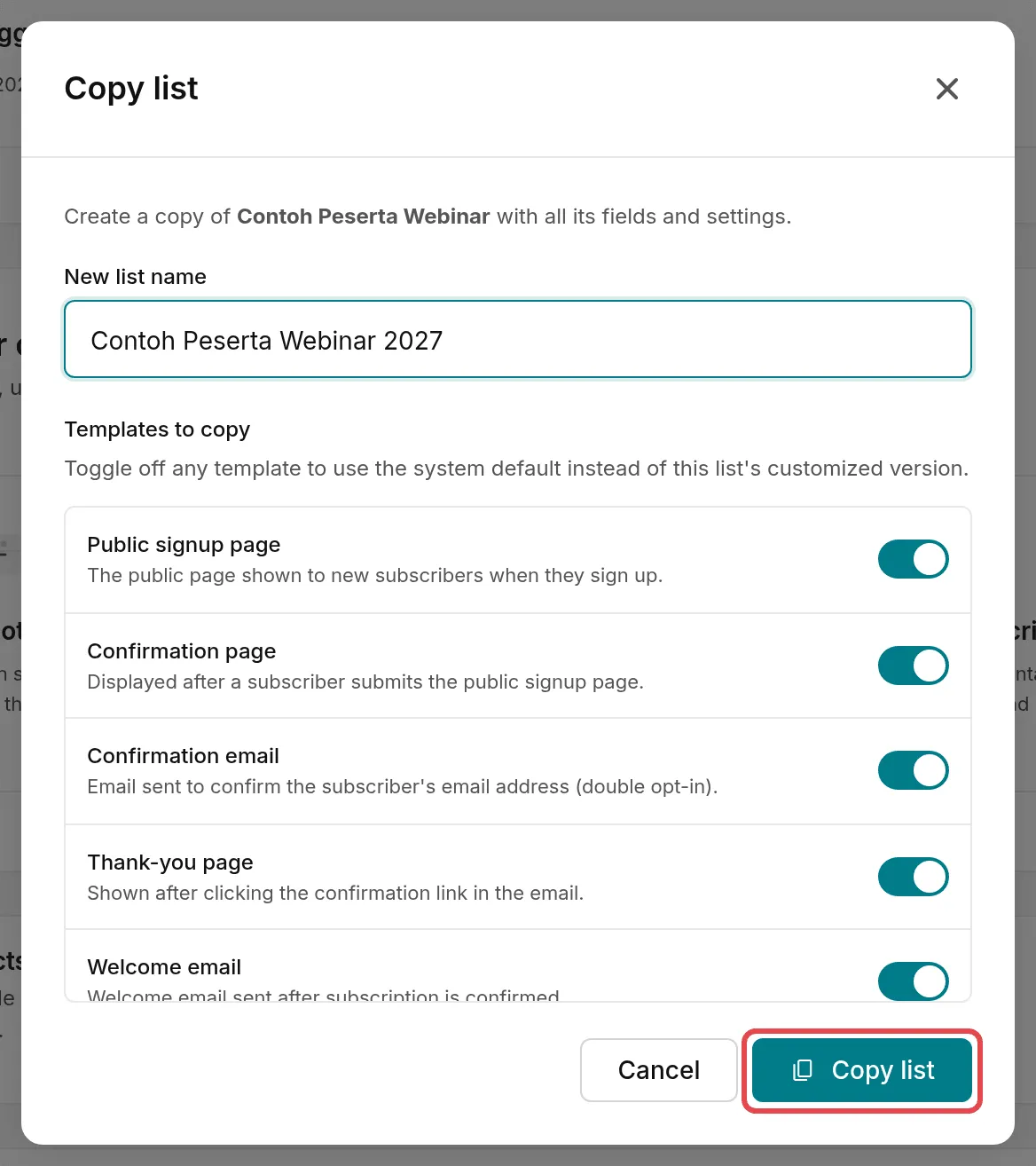
After the copy, the console shows “List copied successfully” and the new list shows on the Lists page.
What the copy includes
Section titled “What the copy includes”The list copy includes these items:
| Item | In the copy? |
|---|---|
| The list settings (sender name, sender email, Double opt-in and the other settings) | Yes |
| The list fields, with the options of Dropdown and the other types | Yes |
| The form and email templates of the list | Yes. The system default template replaces each template that you turn off in Templates to copy. |
| Subscribers | No |
| Segments | No |
Templates to copy
Section titled “Templates to copy”The Templates to copy area has 13 list templates. Each template has its own switch and a short description below its name. All the switches are on by default.
| Group | Templates |
|---|---|
| Subscription | Public signup page, Confirmation page, Confirmation email, Thank-you page, Welcome email |
| Unsubscribe | Unsubscribe form, Success page, Goodbye email, Unsubscribe notification |
| Profile update | Update email, Update form, Success page, Email sent page |
Turn off a switch if you want the new list to use the system default template. If the switch is on, the new list uses the version that you changed in the old list.
Common issues
Why does the copied list have no subscribers?
A list copy includes only the settings, list fields and templates. It does not include subscribers. To move subscribers to a different list, use the Copy to or Move to bulk action on the subscribers page.
Does the copy also include the segments?
No. The new list starts with no subscribers and no segments. Create the segments that you need again.
Why can I not copy a list?
The copy counts as a new list. If your number of lists is at the limit of your plan, the console does not create the copy.
Was this article helpful?
Thanks for your feedback.
Sorry, this page did not help. Chat on Messenger and we will help you fix it.