Ask an AI about this page
 ChatGPT
 Claude
 Perplexity
 Google AI Mode
 Microsoft Copilot
 Grok
 Mistral Le Chat
Stop automatic renewal or cancel your subscription
There are two ways to stop your Mail Niaga subscription. Disable recurring stops the automatic renewal, and the subscription stays active until the end of the current period. Cancel subscription cancels your subscription. If you only want to stop the payments for the next period, click Disable recurring. You can turn on the automatic renewal again later.
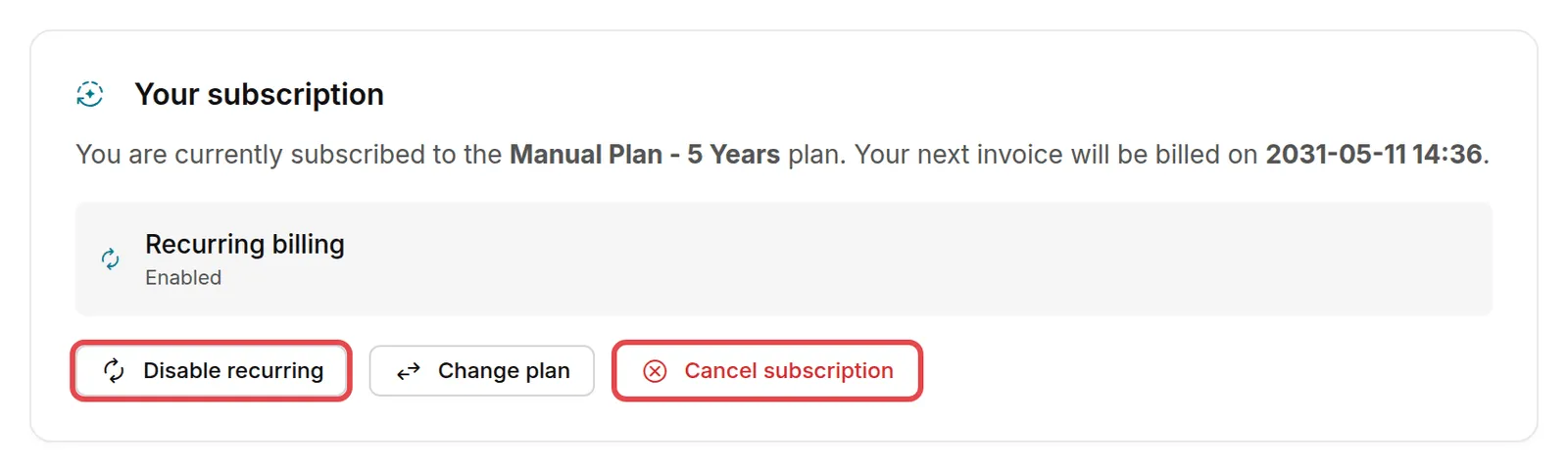
The two buttons are on the Your subscription card on the Subscription & Credits page in the Mail Niaga console. To open that page, click your name at the bottom of the sidebar, then click Subscription & credits.
Stop automatic renewal
Section titled “Stop automatic renewal”Do these steps to stop the renewal of your subscription on the next billing date.
-
On the Your subscription card, click Disable recurring.
-
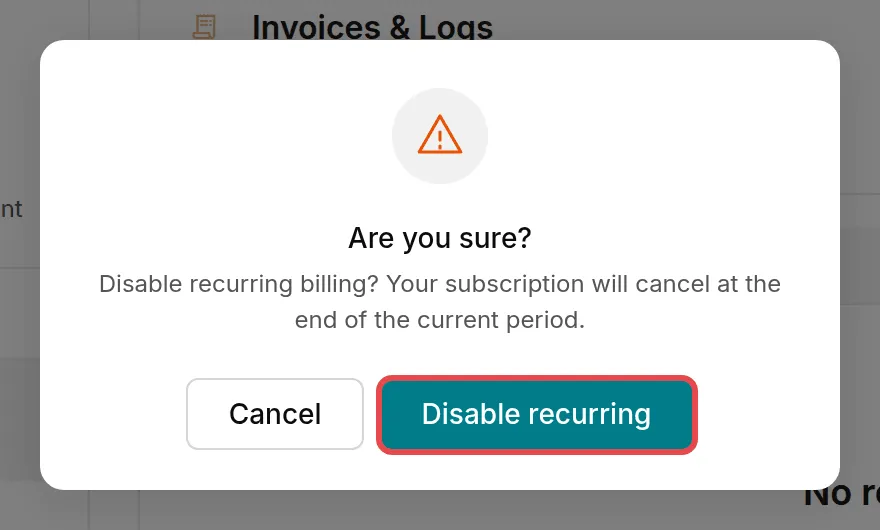
The Are you sure? dialog opens with the message “Disable recurring billing? Your subscription will cancel at the end of the current period.”
-
Click Disable recurring to confirm. To go back with no change, click Cancel.
After that, Recurring billing changes to Disabled. The Your subscription card shows the date when your subscription ends.
To turn on the automatic renewal again before that date, click Enable recurring on the same card.
Cancel your subscription
Section titled “Cancel your subscription”Use these steps only if you are sure that you want to cancel your subscription.
-
On the Your subscription card, click Cancel subscription.
-
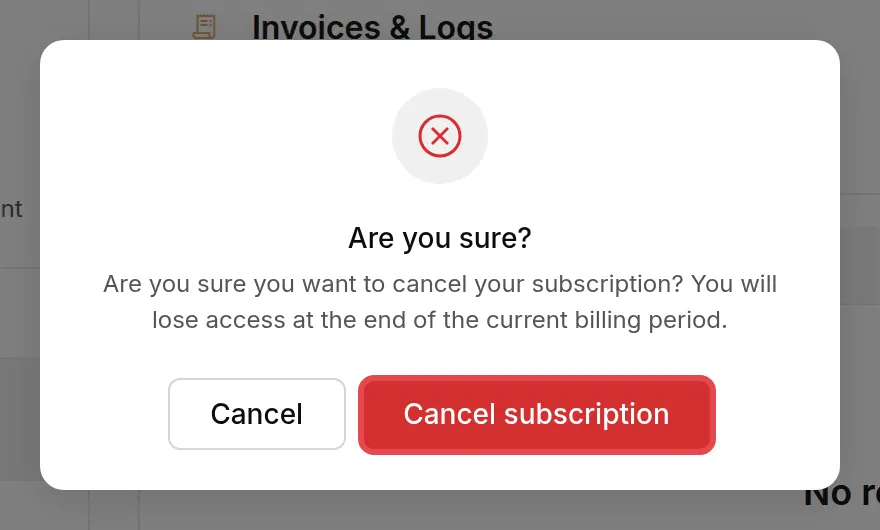
The Are you sure? dialog opens with the message “Are you sure you want to cancel your subscription? You will lose access at the end of the current billing period.”
-
Click the red Cancel subscription button to confirm.
What happens to your credits & data
Section titled “What happens to your credits & data”The credits that you bought stay in your account and do not expire, also after the subscription ends. You need an active plan to use these credits again. To subscribe again, choose a plan on the Choose a Plan page. See Select or change your plan.
If you have questions about your lists, subscribers and campaigns after the subscription ends, contact the Mail Niaga support team. Do this before you cancel your subscription.
This advice helps you stop your subscription safely:
- Click Disable recurring if you are not sure. The subscription stays active until the end of the period. You can turn on the automatic renewal again with Enable recurring.
- Download your invoices before you cancel your subscription. Keep the invoices for your company records. See Your subscription and credits.
Common issues
Is my subscription cancelled after I click Cancel in the dialog?
No. The Cancel button in the Are you sure? dialog only closes the dialog. Mail Niaga cancels the subscription only if you click the red Cancel subscription button in that dialog.
What happens to the credits that I bought?
The credits that you bought stay in your account and do not expire. But you need an active plan to use these credits again. See Select or change your plan.
Can I turn on automatic renewal again after I stop it?
Yes, while the subscription has not ended. On the Your subscription card, click Enable recurring.
Was this article helpful?
Thanks for your feedback.
Sorry, this page did not help. Chat on Messenger and we will help you fix it.